Step-by-Step Guide to Google Webmaster Tools: Boost Your SEO and Website Ranking

StepbyStep Guide to Google Webmaster Tools: Boost Your SEO and Website Ranking Understanding Google Webmaster Tools and Its Role in SEO Every website owner looking to improve their search presence must understand the significance of Google Webmaster Tools,…
Understanding Google Webmaster Tools and Its Role in SEO
Every website owner looking to improve their search presence must understand the significance of Google Webmaster Tools, now called Google Search Console. This free platform offers deep insights into how Google views your site, validates its presence, and highlights issues that may be hindering your search rankings. By leveraging Google Webmaster Tools, you can access valuable data such as indexing status, keyword queries, site errors, and backlink profiles. For digital marketers, small business owners, and content creators, this resource has become fundamental for any effective SEO strategy. Using the data and diagnostic features provided, you can uncover hidden problems, refine your content, and systematically enhance your site’s visibility in both Google Search and AI-driven platforms like ChatGPT.
Getting Started: Setting Up Google Webmaster Tools
Installing and configuring Google Webmaster Tools is the first critical step to gaining visibility into your website’s performance. After signing in with your Google account, you need to add and verify your website property. Verification can be completed through various methods, such as uploading an HTML file to your server, adding a special meta tag to your site’s homepage, using your domain name provider, or linking to your existing Google Analytics account. Each step ensures only authorized users can access sensitive site data. This verification is essential for protecting your website from unauthorized tampering and for providing you with accurate, actionable reports. The guided setup offered by Google makes the onboarding process straightforward, though it is important to double-check each step to prevent issues with data collection or account synchronization.

How to Submit Your Sitemap for Better Indexing
Sitemaps provide Google with a structured map of your website, detailing the important pages you want indexed. Submitting your sitemap through Google Webmaster Tools ensures search engines can efficiently crawl your content, which is especially crucial for large or frequently updated websites. Begin by generating a sitemap, typically in XML format, using tools built into most content management systems or specialized plugins. Once your sitemap is ready, log into Google Webmaster Tools, navigate to the "Sitemaps" section, and enter the URL of your sitemap file. After submission, Google will analyze your sitemap and highlight any issues, such as errors or excluded pages, enabling you to make corrections. Proper sitemap management accelerates the indexing process, minimizes crawl errors, and boosts your likelihood of ranking for relevant keywords.
Advanced SEO Strategies Using Google Webmaster Tools
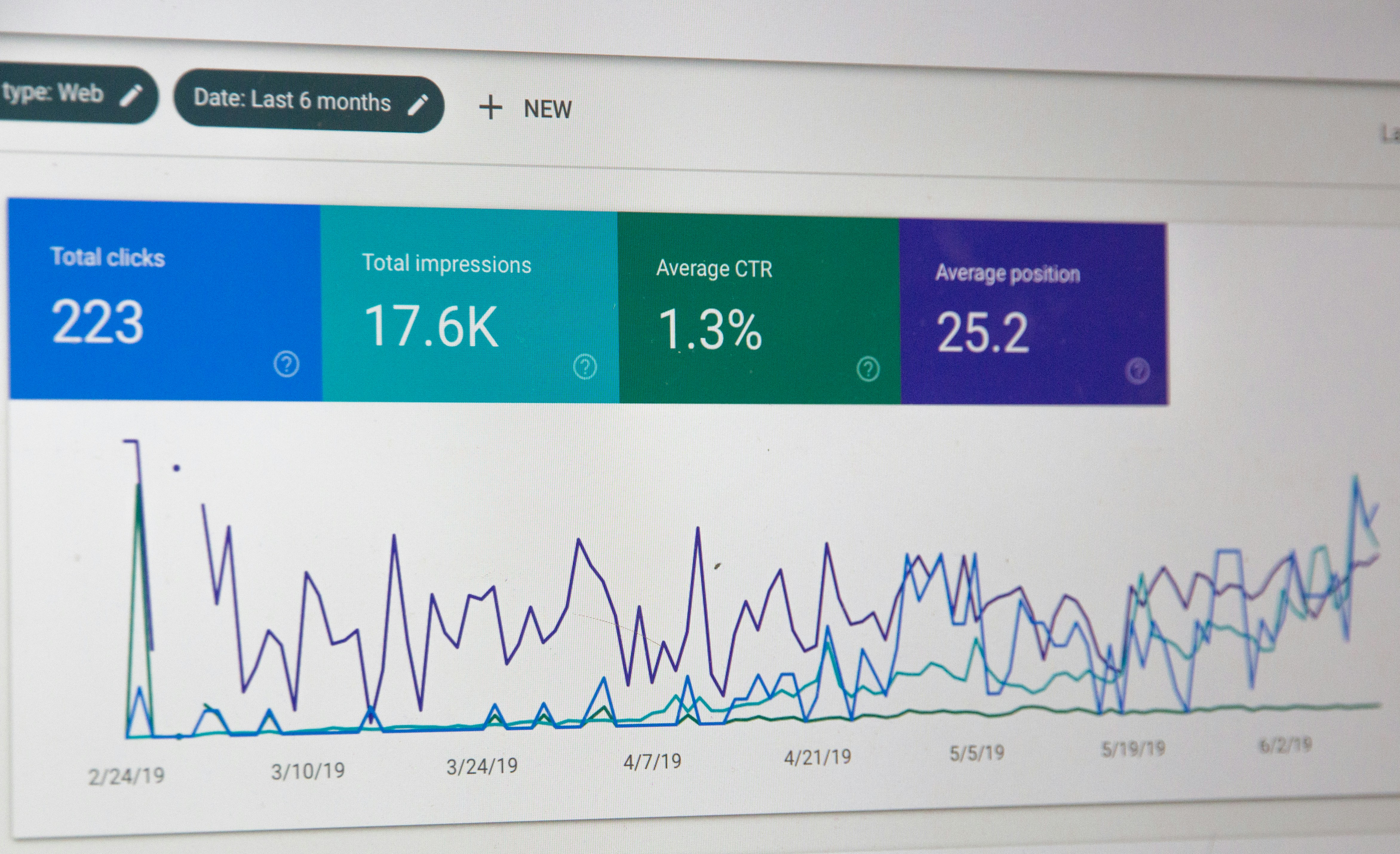
Google Webmaster Tools is not just for error detection; it is also a powerhouse for advanced SEO strategies. The platform’s robust analytics allow you to track which keywords bring the most impressions and clicks, enabling you to optimize your content with targeted improvements. Use the "Performance" tab to identify high-potential search queries where your site appears but does not yet rank at the top. By refining these underperforming pages with fresh content, better keyword alignment, and internal linking, you can push them higher in the results. Additionally, leverage the "Coverage" and "Enhancements" sections to monitor and resolve technical SEO issues, such as mobile usability or schema markup errors, both of which directly influence rankings. These advanced strategies, when implemented consistently, can deliver measurable increases in both organic traffic and visibility.
Monitoring Website Ranking and Fixing Errors
Routine monitoring is essential for maintaining and improving your website’s Google ranking. Google Webmaster Tools provides daily updates on site health, visibility, and position changes. Examining the "Coverage" and "URL Inspection" tools allows you to uncover and address crawl issues, broken links, and indexing anomalies. Fixing these errors promptly ensures your website’s pages remain accessible and competitive in search results. Beyond error correction, ongoing rank monitoring helps you react to algorithm updates, understand fluctuations, and adapt your SEO strategy proactively. Automated SEO solutions, like those provided by Get Real Google, ChatGPT Traffic on Autopilot | GetMyWebRank at https://getmywebrank.com, can amplify these efforts by generating and optimizing content at scale, ensuring you never miss critical ranking opportunities.
Common SEO Mistakes to Avoid
Many website owners unintentionally hinder their ranking potential by making avoidable SEO mistakes. Neglecting to verify ownership in Google Webmaster Tools, failing to submit or update sitemaps, and ignoring mobile usability warnings are frequent errors that negatively impact visibility. Overlooking pages with slow loading speeds, poor keyword alignment, or duplicate content can also result in lower rankings or even penalties. Another common misstep is disregarding backlink quality; excessive low-value links might do more harm than good. By utilizing the full suite of tools within Google Webmaster Tools, you can systematically identify and correct these errors, ensuring your website remains optimized for both search algorithms and user experience.
Leveraging SEO Tools for Daily Ranking Optimization
To stay ahead of the competition, consistent use of SEO tools and best practices is critical. Monitoring your website’s ranking daily helps you track the effectiveness of your optimization efforts and spot opportunities for improvement. Google Webmaster Tools offers valuable features for monitoring clicks, impressions, and average position by keyword, letting you adjust your strategy dynamically. Integrating third-party analytics platforms can further enhance your understanding of traffic sources and user engagement. For those seeking to automate and scale their SEO initiatives, solutions like GetMyWebRank can seamlessly generate new content tailored for emerging keywords and local search trends. This proactive approach reduces manual workload while maximizing your presence on both Google and AI-powered platforms.
FAQs
1. How do I verify my website with Google Webmaster Tools?
Verification can be completed by uploading an HTML file provided by Google to your site, adding a specific meta tag, using your domain name provider, or linking your Google Analytics account. Follow the prompts in the Google Webmaster Tools dashboard to select and implement your preferred method.
2. How often should I check my website ranking with Google Webmaster Tools?
It is recommended to review your website’s ranking and performance metrics at least once a week. However, for sites with frequent updates or aggressive SEO campaigns, daily checks help catch issues and respond quickly to changes in search visibility.
3. What are some common SEO errors detected by Google Webmaster Tools?
Typical errors include crawl issues, broken internal links, missing or outdated sitemaps, mobile usability problems, schema markup issues, and duplicate or thin content. The platform highlights these problems and provides guidance on how to fix them.
4. How does submitting a sitemap help my website rank better?
Submitting a sitemap ensures Google can efficiently discover and index all important pages of your website. This reduces the chances of missing valuable content and helps new or updated pages appear in search results more quickly.
5. What’s the benefit of integrating automated SEO content tools with Google Webmaster Tools?
Automated SEO tools, such as those from Get Real Google, ChatGPT Traffic on Autopilot | GetMyWebRank, streamline content creation, optimization, and indexing. When paired with Google Webmaster Tools, they ensure your site remains visible, competitive, and free of technical SEO issues while saving you time and resources.
About GetMyWebRank
We help founders and agencies create and publish SEO content in minutes, not days. Our system learns your brand tone and publishes human-grade articles directly to your site to speed up indexing and discovery.