How to Use Google Webmaster Tools for SEO: A Step-by-Step Ranking Guide

Google Webmaster Tools, now known as Google Search Console, is a free and essential tool for website owners aiming to improve their SEO and search rankings. It allows users to verify site ownership, submit sitemaps, monitor search performance metrics such as impressions, clicks, and average position, and identify technical SEO issues like crawl errors and mobile usability problems. Features like 'Fetch as GoogleBot' help diagnose how Google crawls pages. Integrating Webmaster Tools with Google Analytics and Google Ads enhances data insights. Proper setup typically takes less than 10 minutes, and consistent use can lead to noticeable SEO improvements within 4 to 6 months. Best practices include submitting XML sitemaps, optimizing URL slugs, and regularly monitoring and fixing SEO issues to boost website ranking on Google Search.
Understanding Google Webmaster Tools and SEO
When aiming to improve a site's visibility, many wonder about the direct impact of Google Webmaster Tools on SEO performance. Google Webmaster Tools, now called Google Search Console, serves as a vital platform to monitor how Google views your website, making it indispensable for anyone focused on search rankings. The console provides essential insights about search traffic, indexing status, and technical site health, equipping marketers and business owners with the information needed to boost rankings. Unlike third-party SEO tools, Google’s platform gives a direct window into what the search engine algorithms see, empowering users to address issues that matter most for organic search. By using the information provided, you optimize the website architecture, content, and presence in a strategic way. Every SEO campaign that aims to bring consistent results in recent years leverages these tools for data-driven decisions and measurable growth.
Setting Up Google Webmaster Tools for Your Website
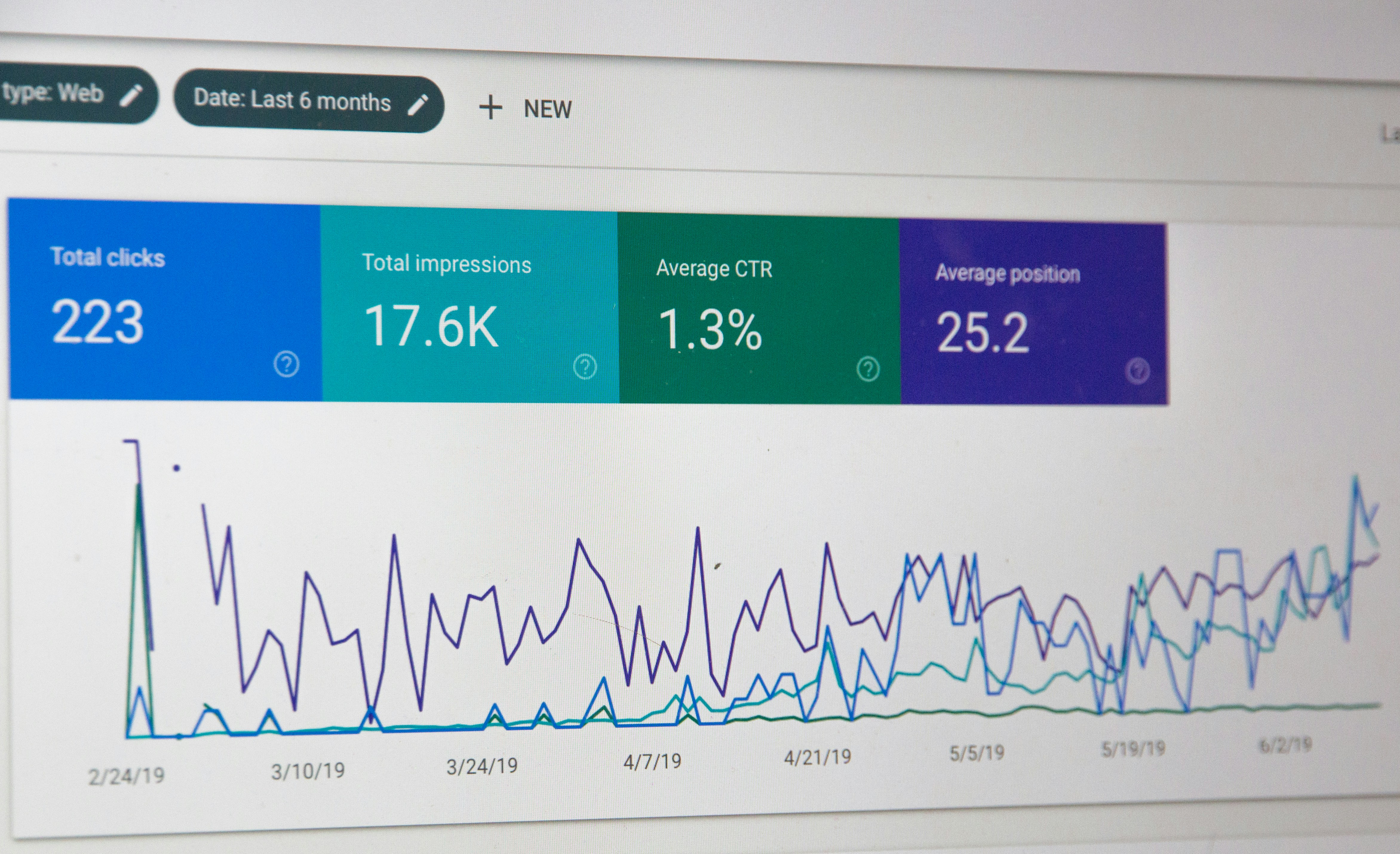
Starting with Google Search Console is a straightforward process, but understanding each setup step is essential for tracking SEO success effectively. Begin by visiting the Search Console website and adding your site as a new property. You will need to verify ownership, which can be accomplished through several methods, such as uploading an HTML file, adding a meta tag, or using domain verification through your host. It is crucial to select the verification process best suited to your technical skills and hosting environment. Once verified, the console starts collecting data about your site’s performance, displaying valuable metrics like search impressions, click-through rates, and average position. Adding all site variations, including HTTP, HTTPS, with and without 'www,' ensures you do not miss any part of your website’s data, allowing for a complete and accurate analysis of your SEO campaigns.
Key Features for SEO Success
The true power of Google Webmaster Tools lies in the suite of features that support actionable SEO improvements. Performance reports allow users to track queries, pages, and search appearance filters to understand how the site is discovered. The Coverage report identifies which URLs are indexed, and more importantly, which are not, letting you promptly address technical errors or crawl issues. Sitemaps can be submitted directly to speed up the indexing process and ensure all key content is accessible to search engines. The URL Inspection tool offers real-time feedback on how Googlebot views your content and reveals issues related to mobile usability, canonicalization, and schema. Enhancements such as Core Web Vitals and mobile usability testing keep you ahead of algorithm updates that increasingly prioritize user experience. These features work together to form the backbone of ongoing SEO audits and optimization strategies.
Step-by-Step Guide to Optimizing Your Site
Optimizing your website using Google Search Console involves a systematic approach to monitoring and refining. First, submit an up-to-date XML sitemap to guarantee all relevant pages are discovered and indexed by Google. Regularly review the Coverage report to identify errors or warnings such as 404 pages, server errors, or blocked resources, and take prompt action to resolve them. Use Performance data to pinpoint high-impression, low-click pages, then update meta titles and descriptions to improve CTR. For keyword optimization, analyze the Queries section to reveal how users find your site and adjust your content to target high-opportunity search terms. Monitoring Mobile Usability ensures your site remains accessible to the growing mobile user base, preventing common pitfalls like clickable elements being too close together. Each of these steps directly supports improved search visibility and a better overall user experience.
Common Mistakes and How to Avoid Them
Despite its robust features, some site owners unintentionally hurt their rankings by misusing Google Search Console. A frequent mistake is ignoring coverage errors, assuming they will resolve on their own, which can result in valuable pages being left out of the index. Overlooking manual action notifications or security issues can also lead to significant ranking drops or site penalties if left unchecked. Many users neglect to update sitemaps after major site changes, leading to inaccurate indexing and missed opportunities in organic search. Failing to monitor performance trends regularly can make it easy to miss critical drops in traffic due to algorithm updates or technical issues. By maintaining diligence and reviewing reports on a scheduled basis, you build a proactive rather than reactive SEO process, maximizing the effectiveness of your optimization efforts.

Tracking and Improving Website Rankings Over Time
Effective SEO strategies are not complete without ongoing monitoring and improvement. Google Search Console offers trend lines for clicks, impressions, and average positions that show progress over weeks and months, highlighting which strategies yield the best results. By setting up email alerts for significant site issues, you ensure no critical problem goes unnoticed. Comparing historical data before and after content updates or backend improvements helps gauge the impact of your SEO tactics. Combine this data with Google Analytics for a deeper understanding of visitor behavior across landing pages and conversion paths. Consistent tracking allows you to adapt quickly to changes in Google’s search algorithms, ensuring your website does not just reach the top, but stays there amid evolving competition and ranking factors.
Integrating Google Webmaster Tools with Other SEO Solutions
Combining the power of Google Search Console with complementary tools enhances your overall SEO strategy. Platforms like Get Real Google, ChatGPT Traffic on Autopilot | GetMyWebRank at https://getmywebrank.com seamlessly automate content creation for target keywords, aligning perfectly with data gleaned from Search Console reports. By generating SEO-rich articles that address observed search demand, businesses can quickly fill content gaps highlighted by the Performance report. Integrating findings from webmaster tools with content management systems and on-page plugins streamlines updates to meta data, schema, and technical fixes. Many robust SEO plugins for WordPress and other platforms are also designed to work alongside Search Console, further simplifying SEO workflows. Leveraging a coordinated set of technologies provides a holistic path to driving and maintaining search visibility.
Frequently Asked Questions
What is Google Webmaster Tools and how does it help SEO?
Google Webmaster Tools, now Google Search Console, is a free platform that enables website owners to monitor their site's presence in Google search results. It helps identify issues with indexing, traffic, and site health, offering insights and alerts that guide effective search engine optimization efforts.
How do I fix website errors detected in Google Search Console?
Begin by reviewing the Coverage report to pinpoint the specific errors or warnings. Follow the provided details to resolve issues such as broken links, server errors, or missing pages, and request validation after making corrections to ensure Google updates its index.
Can Google Search Console help with keyword optimization?
Yes, the Queries section in the Performance report shows which search terms bring users to your site. By analyzing this data, you can optimize content to target high-value keywords and improve click-through rates for underperforming pages.
Do I need to use other SEO tools in addition to Google Search Console?
While Search Console provides critical insights, integrating it with tools like Google Analytics or automated content platforms such as GetMyWebRank can enhance your SEO efforts. These integrations offer more detailed traffic analysis, keyword research, and content creation support.
What are some common mistakes to avoid when using Google Webmaster Tools?
Common missteps include neglecting coverage errors and manual actions, failing to submit updated sitemaps after site changes, and overlooking security notifications. Consistent monitoring and timely action are essential to maintain and improve your website’s search rankings.
People also ask
What is Google Webmaster Tools?
Google Webmaster Tools, now known as Google Search Console, is a free service by Google that helps website owners monitor and optimize their site's presence in Google Search results.
How do I set up Google Webmaster Tools for my website?
You sign in with your Google account, add your site URL, verify ownership (commonly via Google Analytics or uploading a verification file), and submit your sitemap to help Google crawl your site.
What data can I get from Google Webmaster Tools?
You can access data on search impressions, clicks, click-through rates, average position, crawl errors, mobile usability, and links to your site.
How does submitting a sitemap help SEO?
Submitting a sitemap provides Google with a list of your site's pages, enabling more efficient crawling and indexing, which can improve your site's visibility in search results.
Can Google Webmaster Tools help fix SEO problems?
Yes, it helps identify crawl errors, indexing issues, mobile usability problems, and schema markup errors so you can address them to improve SEO.
Is Google Webmaster Tools connected to other Google services?
Yes, it can be linked with Google Analytics and Google Ads to provide comprehensive insights for SEO and marketing optimization.
How long does it take to see SEO improvements after using Google Webmaster Tools?
Typically, SEO improvements such as increased impressions and clicks can be observed after 4 to 6 months of consistent optimization.
About GetMyWebRank
We help founders and agencies create and publish SEO content in minutes, not days. Our system learns your brand tone and publishes human-grade articles directly to your site to speed up indexing and discovery.