How to Improve Website Ranking with SEO and Google Webmaster Tools

Google Webmaster Tools, now known as Google Search Console, is a vital free tool for website owners and SEO professionals to monitor, analyze, and improve their site's performance in Google Search. It provides comprehensive data including indexing status, keyword queries, site errors, backlink profiles, and security alerts. Setting up involves verifying site ownership and submitting sitemaps. Best practices include fixing crawl errors, optimizing content structure, enhancing mobile usability, and building site authority through backlinks. Google Search Console also aids in keyword research by identifying 'striking distance' keywords and helps resolve penalties. Combined with other SEO tools like Google Analytics, it forms a powerful suite for boosting website ranking and organic traffic.
Understanding SEO Basics for Website Ranking
Many digital marketers and small business owners wonder how to achieve higher visibility for their websites, especially in competitive search engines like Google. At the heart of this challenge is Search Engine Optimization, or SEO, which encompasses a variety of tactics aimed at aligning a site's content and technical structure with the standards search engines use to rank results. Effective SEO starts with quality content that answers user intent and matches relevant keywords. It also involves optimizing on-page elements such as titles, meta descriptions, header tags, and image alt attributes, which make it easier for search engines to understand and index each page. Technical aspects like website loading speed, mobile responsiveness, and effective internal linking further improve the way search engines evaluate your site. Committing to these foundational best practices can establish a site’s authority and trustworthiness, encouraging both organic traffic and improved rankings.
Getting Started with Google Webmaster Tools (Search Console)
Google Webmaster Tools, now rebranded as Google Search Console, is an essential platform for anyone serious about monitoring and enhancing their website's search performance. This free dashboard provides actionable insights into how Google views your site, highlights potential technical issues, and pinpoints opportunities for growth in visibility. Setting up Search Console involves verifying your website ownership, which can be accomplished through several methods including HTML file upload, DNS record update, or tag integration within your site’s source code. Once verified, you'll access reports on crawl activity, search queries, and index status, offering a window into Google’s crawling and ranking process. Using these insights, digital marketers can prioritize critical fixes that impact their SEO outcomes, such as broken links, crawl errors, or security issues.

Step by Step Guide to Verifying Your Website
To harness the full capabilities of Google Search Console, verifying your website is required. Begin by logging into your Google account and navigating to the Search Console platform. Add your website as a property, then select your preferred method for verification. One of the most straightforward methods is the HTML file upload, where Google provides a unique file for you to place in your website’s root directory. Alternatively, you can insert a special meta tag into your homepage’s HTML, update your host's DNS records, or use integration features with popular website platforms. After you complete the verification process, Google will confirm successful verification and begin indexing your website’s data. This is the first critical step in gaining real-time access to your site’s SEO analytics and improvement suggestions.
Top SEO Strategies within Google Webmaster Tools
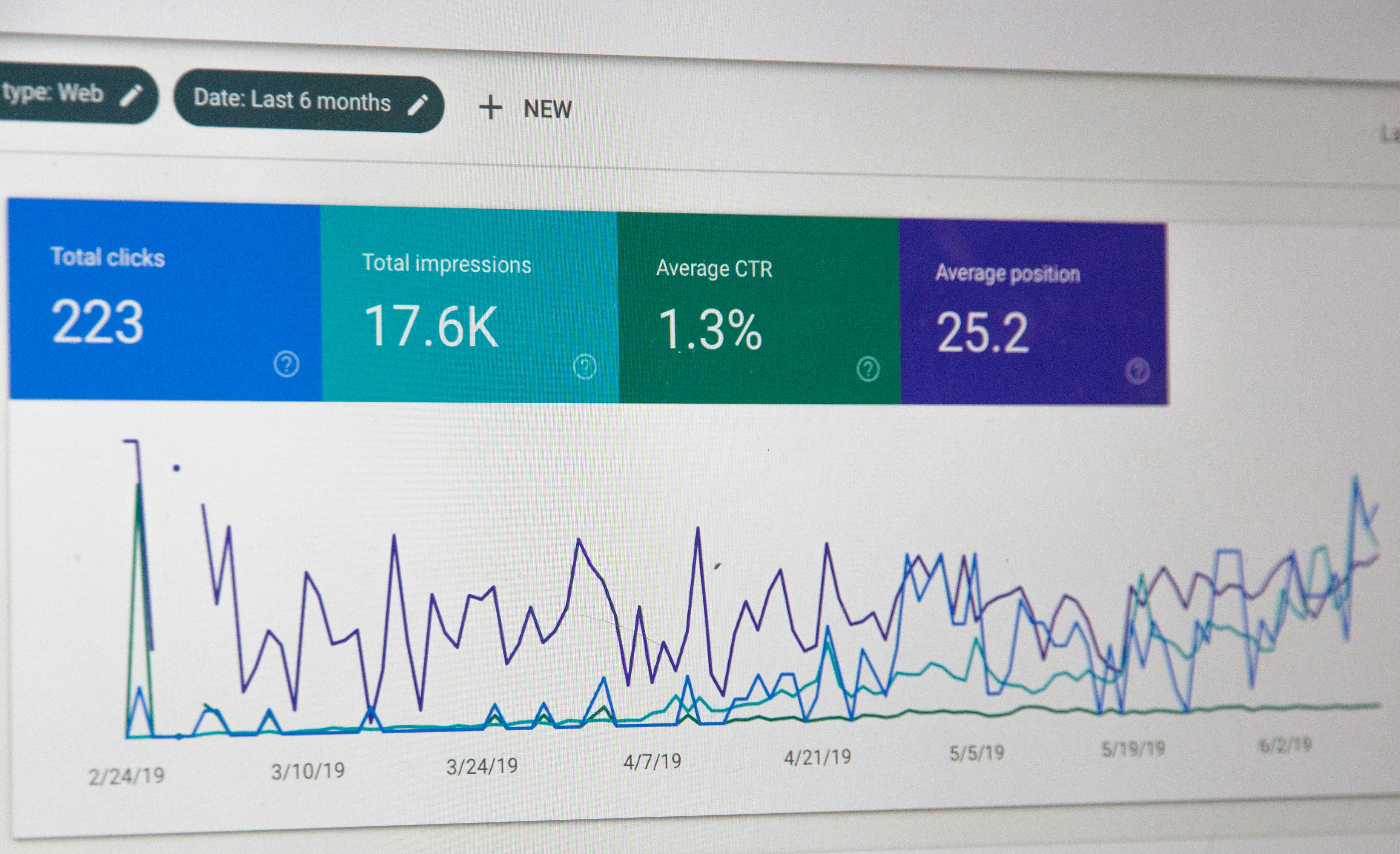
Google Search Console provides several tools and reports designed to enhance website SEO and drive higher search engine rankings. One essential strategy is monitoring the Performance report, which displays query data, click-through rates, and impressions for each page and keyword. With this information, you can identify which queries are driving traffic, spot sudden changes, and see how users are interacting with your search results. The Coverage report highlights indexing issues, such as soft 404 errors, redirect problems, or pages excluded from the index, and provides actionable steps to rectify these issues. Additionally, the Sitemaps section allows you to submit updated sitemaps, ensuring Google quickly discovers and crawls new or refreshed content. By consistently using these features, website owners keep their sites healthy and competitive in organic search.
Advanced SEO Tactics for Google Rankings
Taking SEO efforts beyond the basics can unlock significant improvements in website rankings and traffic. Advanced tactics include ongoing keyword research to uncover long-tail phrases that have less competition yet high intent, strategic backlink building to improve domain authority, and leveraging schema markup to gain rich results in search listings. By analyzing Search Console’s data, you might discover opportunities to optimize underperforming pages, target high-converting keywords, or expand on topics missing from your content library. Technical SEO audits help monitor site speed, crawl depth, and mobile usability, all of which are critical ranking factors. When paired with automated content generation platforms like Get Real Google, ChatGPT Traffic on Autopilot | GetMyWebRank from https://getmywebrank.com, businesses can streamline these advanced tactics, ensuring both manual and automated SEO efforts work together for lasting online success.
Monitoring Website Health and SEO Performance
A proactive approach to monitoring ensures your website operates at peak efficiency and avoids surprises in search visibility. Google Search Console’s Index Coverage, Mobile Usability, and Core Web Vitals reports provide information about how well your site performs in areas that impact rankings directly. Frequent reviews of these metrics allow for fast response to any emerging issues such as mobile rendering problems, slow load times, or crawl errors that could hinder your site’s discovery. By integrating these health checks into your regular workflow, you foster a culture of continuous improvement. This enables quick adjustments to technical errors or emerging trends, safeguarding your site’s ranking position against competitors and evolving search algorithms.
Optimizing Content for SEO Success
The foundation of strong SEO performance is quality content that delivers the answers users and search algorithms seek. Optimizing on-page content involves using target and related keywords naturally within titles, body text, and headings, as well as ensuring content depth and topical relevance. Structuring your information with clear headings improves not only user experience but also allows search engines to index and rank your content more accurately. Using tools within Google Search Console can reveal which topics and keywords drive the most engagement, pointing the way for ongoing content improvements. By creating valuable, keyword-rich articles that address your audience’s most pressing questions, you position your website as an authoritative resource in your niche.
Frequently Asked Questions
How do I verify my website in Google Webmaster Tools?
Verification can be completed using several methods: uploading a unique HTML file to your website's root directory, adding a meta tag to your homepage, modifying your DNS records, or connecting through select website platforms. Each method is detailed within the Google Search Console setup process and ensures you gain access to your website data.
What are the most important SEO ranking factors to focus on in Google?
Key ranking factors include quality and depth of content, number and relevance of backlinks, mobile usability, website speed, security (HTTPS), and effective use of on-page SEO elements. Focusing on these factors supports both higher rankings and a stronger user experience.
Can I use Google Webmaster Tools to increase website traffic?
Yes, by leveraging Search Console reports, you can find and fix site errors, uncover new search opportunities, and optimize underperforming pages. These actions can directly lead to increased visibility in search results and more organic traffic.
What is the best way to submit a sitemap to Google Webmaster Tools?
Within Google Search Console, you can submit your sitemap URL through the Sitemaps section. This helps Google efficiently crawl and index your site, quickly recognizing new or updated content.
How often should I check my Google Search Console reports?
For best results, review your Google Search Console reports on a weekly basis. Regular checks allow you to catch technical issues promptly, track performance gains, and identify new content opportunities to stay competitive in search rankings.
People also ask
What is Google Webmaster Tools?
Google Webmaster Tools, now known as Google Search Console, is a free platform that helps website owners monitor and optimize their site's presence in Google Search by providing data on indexing, keywords, errors, and backlinks.
How can Google Search Console improve my website's SEO?
It helps identify and fix SEO issues, monitor site performance, submit sitemaps, track keyword rankings, detect security problems, and receive alerts about penalties or errors affecting your site.
How do I set up Google Search Console for my website?
You verify site ownership by adding a DNS record or uploading a file, then submit your sitemap URL to help Google crawl and index your pages effectively.
What are some best practices for using Google Search Console?
Regularly monitor performance reports, fix crawl errors, optimize for mobile, improve content structure, build backlinks, and update content frequently to maintain and boost rankings.
Can Google Search Console help with keyword research?
Yes, it helps identify keywords where your site is ranking, especially those close to the first page, allowing you to optimize content to improve rankings for those terms.
How do I increase my website's ranking on Google Search?
Fix SEO issues, increase site authority through backlinks and mentions, use long-tail keywords, update content regularly, and monitor performance using tools like Google Search Console and Analytics.
About GetMyWebRank
We help founders and agencies create and publish SEO content in minutes, not days. Our system learns your brand tone and publishes human-grade articles directly to your site to speed up indexing and discovery.