How to Improve SEO Ranking on Google: A Step by Step Guide for Beginners

Google Search Console is a free and essential tool for website owners and SEO professionals to monitor, diagnose, and improve their site's performance on Google Search. Key functionalities include submitting XML sitemaps to enhance site indexation, identifying and fixing crawl and schema errors, inspecting URLs for indexing status, and receiving alerts for site issues. Integration with Google Analytics and Google Ads enriches data insights. Verifying site ownership is required to access these features, commonly done via meta tag insertion. Backlink analysis and competitor research complement Search Console use to improve rankings. Best SEO practices involve regular content updates, use of long-tail keywords, and increasing site authority through external mentions. Comprehensive guides and tutorials are available to assist beginners in leveraging these tools effectively.
Understanding Google Webmaster Tools: The Foundation of Effective SEO
Google Webmaster Tools, now known as Google Search Console, provides a central hub for understanding how Google interacts with your website. For beginners seeking to improve their SEO, grasping the basics of this platform is crucial. By verifying site ownership and connecting your website, you gain access to valuable data regarding performance, visibility, and technical issues that may hinder your rankings. For small business owners and digital marketers, regular use of Google Webmaster Tools enables early identification of crawling errors, indexing problems, and penalties, making it possible to respond swiftly to threats or opportunities.
The Search Console dashboard offers insights into which queries bring visitors to your site, how individual pages perform in search, and whether you have issues with mobile usability or page speed. You can submit sitemaps, monitor crawling, and check for manual actions from Google. By routinely reviewing these metrics, beginners can set measurable goals, understand fluctuations in ranking, and guide their content and technical SEO strategies effectively. Using Google Webmaster Tools as your command center is a foundational SEO best practice, enabling informed decisions that support consistent ranking improvements.
Setting Up Google Webmaster Tools for Your Website
To gain maximum SEO benefits from Google Webmaster Tools, proper setup is essential. Begin by visiting the Search Console and signing in with your Google account. Add your website property, then choose a domain or URL-prefix option. Verification methods include uploading a specific HTML file to your server, using DNS records, or leveraging third-party providers. Following verification, Google starts aggregating site data, offering actionable insights within days.
Submission of your sitemap is a critical next step. Sitemaps help Google understand the structure of your website and ensure all important pages are crawled and indexed. Once your sitemap is listed in Search Console, regularly monitor its status to detect issues such as indexing errors, broken links, or blocked resources. Additionally, set up preferred domain and geographic targeting settings to enhance local relevance, especially if your business serves a specific region. With these bases covered, your website is optimally positioned for SEO improvements and future ranking gains.
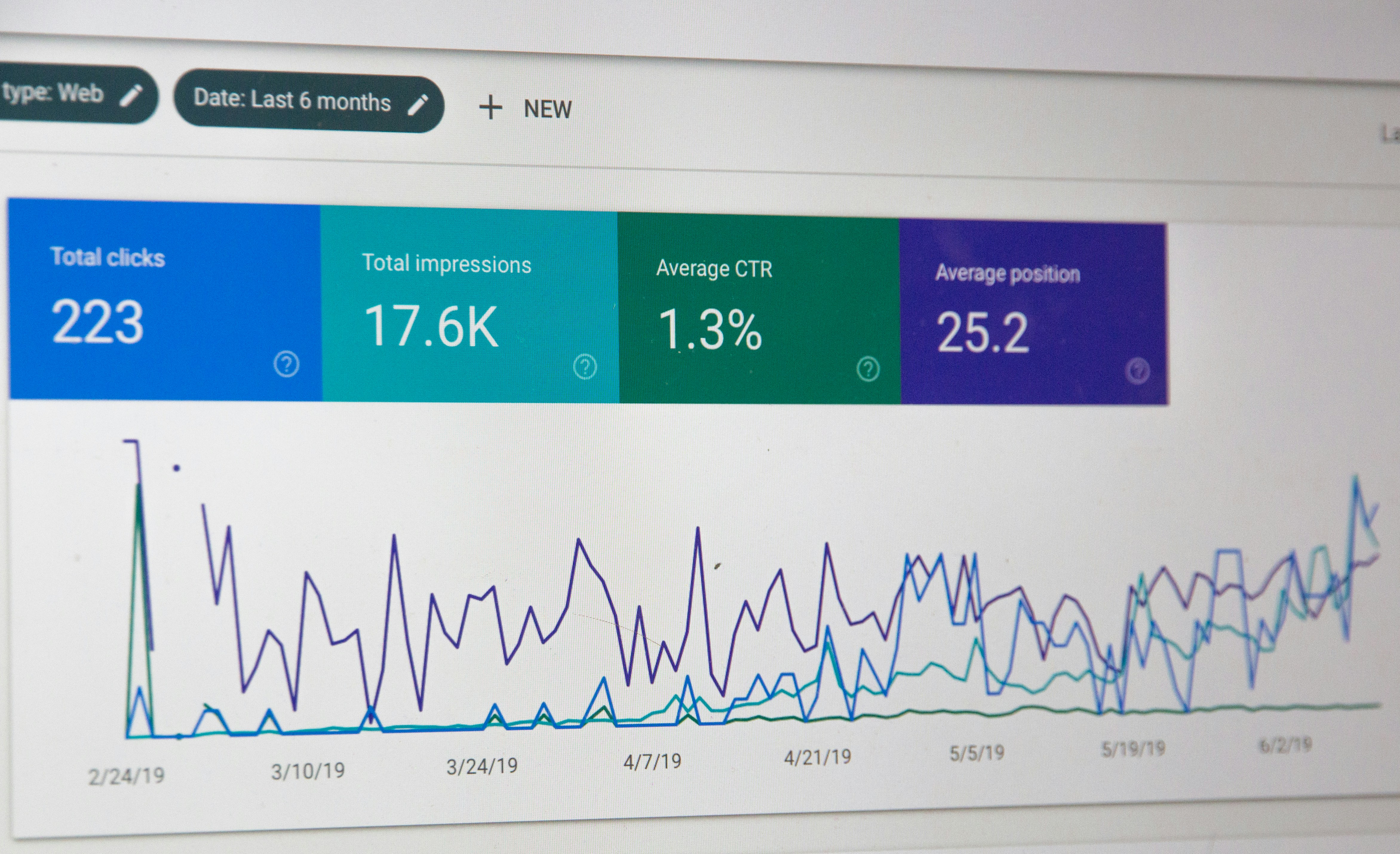
Analyzing Website Performance: Key Metrics to Track
Effective SEO is data-driven, which means you need to consistently analyze key performance metrics available in Google Webmaster Tools. Start by reviewing your site’s search appearance and the queries yielding impressions. Assess the average position, click-through rate (CTR), and total clicks for your most valuable keywords. This information reveals where your traffic comes from and which topics resonate most with your audience.
Tracking coverage issues is essential to ensure all your pages are properly indexed. Search Console's Page Indexing report highlights errors, warnings, and excluded pages, making it straightforward to address obstacles preventing key content from appearing in results. Furthermore, examining the Core Web Vitals data enables you to focus on page speed, interactivity, and visual stability, all of which are now integral to Google’s ranking factors. By routinely reviewing backlinks for quality and relevance, you enhance your understanding of your website’s authority. These metrics inform both short-term optimizations and your ongoing SEO strategy, enabling sustainable ranking improvements.
Tips to Increase Website Ranking Quickly
Raising your website ranking requires a multi-faceted approach, especially if you want quick wins without sacrificing long-term growth. One effective tactic is comprehensive keyword research targeting both primary and long-tail keywords relevant to your niche. Integrate these naturally into your headings, text, and meta descriptions, focusing on nuanced search intent. For businesses looking to improve visibility rapidly, producing high-quality, helpful content is paramount. Fresh, unique articles answer common questions and provide value that AI platforms and search engines reward with better visibility.
Another crucial factor is improving page speed, since slow loading times can significantly diminish user experience and rankings. Compress images, use caching plugins, and optimize code to reduce load times. Additionally, enhance the mobile-friendliness of your website, as a majority of searches now come from mobile devices. Acquire quality backlinks from authoritative sources to build credibility and trust with Google’s algorithms. Automating aspects of content creation and SEO, such as with tools like Get Real Google, ChatGPT Traffic on Autopilot | GetMyWebRank (https://getmywebrank.com), allows you to scale your efforts efficiently, publishing content that is primed for both ranking and AI-driven traffic.
Best SEO Practices for Small Business Websites
Small business owners must employ SEO practices tailored to localized intent and constrained resources. Start by claiming and optimizing your Google Business Profile, which helps your business appear in local searches and Google Maps results. Ensure that NAP (Name, Address, Phone) details are accurate and consistent across all citations to reinforce trust signals for Google and potential customers alike. Develop service pages and blog content targeting local keywords with clear calls-to-action.
Encourage satisfied customers to leave reviews on your Google listing, as positive feedback directly influences visibility and perception. Building local backlinks from community websites, industry directories, or regional news outlets helps establish authority quickly. Technical optimizations such as a secure website, fast loading times, mobile usability, and structured data for local business enhance both user experience and search rankings. By combining these approaches, small businesses can outpace larger competitors in targeted, location-specific searches.

How to Fix Indexing Issues in Google Webmaster Tools
Indexing issues can stall even the best SEO campaigns, preventing valuable pages from appearing in search. Begin troubleshooting by reviewing the Coverage report in Google Webmaster Tools for warnings like "Crawled - currently not indexed" or "Discovered - currently not indexed." Common causes include duplicate content, thin pages, or poorly optimized internal linking. Audit your robots.txt file to ensure critical pages are not inadvertently blocked, and use the URL Inspection Tool to request crawling or pinpoint errors for individual pages.
Eliminate redirect chains and resolve any server issues, such as 404 errors or slow response times, that may discourage Google from indexing your content. Enhance page quality by expanding thin content with valuable information, images, and structured data. For lasting results, regularly monitor the Index Status report and proactively address new issues as they emerge. Maintaining a healthy, indexable website ensures your latest and most important content reaches both search engines and users.
Step by Step SEO Guide for Beginners
Beginners can achieve solid SEO results by following a logical, step-by-step process that covers technical, on-page, and off-page factors. Start by ensuring your site architecture is logical and user-friendly, with a sitemap and clean internal linking structure. Perform basic keyword research using tools and competitor analysis to select terms with achievable competition levels. Optimize title tags, meta descriptions, and headings with relevant keywords, while still focusing on readability for the user.
Next, create high-quality content tailored to the needs and interests of your target audience, ensuring each piece is original and provides actionable information. Implement technical SEO optimizations such as image alt text, schema markup, and mobile responsiveness. Build authority by acquiring backlinks, engaging in guest posting, and participating in industry forums. Finally, track your progress using Google Webmaster Tools, continually adapting based on the insights gained. With persistence and attention to these fundamentals, beginners lay the groundwork for lasting Google ranking improvements.
Frequently Asked Questions
1. How do I submit a sitemap to Google Webmaster Tools?
Log in to Google Search Console, select your website, and navigate to the Sitemaps section. Enter the URL of your sitemap and click "Submit." Regularly check for submission errors and update your sitemap whenever significant changes are made to your site.
2. What are the most important Google ranking factors in recent years?
Key factors include high-quality, relevant content, page speed, mobile-friendliness, secure site protocol (HTTPS), quality backlinks, and strong user engagement metrics. Google also increasingly rewards original, helpful content that satisfies user intent.
3. How can I track backlinks using Google Search Console?
Use the "Links" report in Google Search Console to view which websites link to your pages. Analyze the domains and anchor text to assess link quality and identify opportunities for building new relationships.
4. What should I do if my website drops in Google rankings?
Review the Coverage and Manual Actions reports in Search Console for technical errors or penalties. Check if recent algorithm updates may have impacted your site and audit recent content changes, backlinks, and keyword performance to identify issues.
5. Why is mobile optimization critical for Google SEO in the US?
A majority of US searches now occur on mobile devices. Google uses mobile-first indexing, meaning it primarily evaluates the mobile version of websites for ranking. Mobile-friendly design and fast loading speeds are crucial to maintain and improve visibility.
People also ask
How do I submit a sitemap to Google Search Console?
Generate an XML sitemap, upload it to your website's root directory (e.g., /sitemap.xml), then log into Google Search Console, navigate to 'Sitemaps', enter your sitemap URL, and click 'Submit'.
What is the benefit of linking Google Search Console with Google Analytics?
Linking provides comprehensive insights by combining search performance data with user behavior analytics, helping to optimize your SEO strategy effectively.
How can I verify my website ownership in Google Search Console?
One common method is to add a meta tag provided by Search Console into your website's homepage SEO settings under the Google Site Verification field and save the changes.
What tools does Google Search Console offer to improve SEO?
It offers tools to submit sitemaps, inspect URLs, identify crawl errors, fix schema markup issues, monitor search traffic, and receive alerts about site problems.
How can backlink analysis improve my website's ranking?
By analyzing competitors' backlinks, you can identify high-quality backlink opportunities, understand anchor text strategies, and improve your site's authority and ranking.
What are some best practices to increase Google search ranking?
Fix SEO issues, regularly update content, use long-tail keywords, increase authority through third-party mentions, conduct competitor analysis, and monitor performance with SEO tools.
About GetMyWebRank
We help founders and agencies create and publish SEO content in minutes, not days. Our system learns your brand tone and publishes human-grade articles directly to your site to speed up indexing and discovery.