How to Improve Website Ranking on Google: Step-by-Step SEO Guide

Google Webmaster Tools, now known as Google Search Console, is an essential free tool for website owners to monitor and optimize their site's presence in Google Search. It provides critical insights into how Google crawls and indexes pages, which keywords drive traffic, and highlights issues such as indexing errors or security problems. While it does not directly improve rankings, it enables webmasters to identify and fix problems that can enhance SEO performance. Key SEO practices include submitting XML sitemaps, optimizing robots.txt files, ensuring Googlebot can access all necessary resources like CSS and JavaScript, and implementing structured data to qualify for rich search results. Regular use of Search Console, combined with adherence to Google's SEO guidelines, supports ongoing website optimization and improved visibility in search engine results.
Understanding Google Search Ranking: Why It Matters
Understanding how Google determines website rankings is crucial for any business or creator aiming to establish a robust online presence. Every day, millions of searches are performed, and nearly all users click on results from the first page. This makes achieving a high-ranking position pivotal for gaining website traffic and capturing potential leads or customers. When you invest time and resources into improving your Google rank, you directly influence how easily people can find your content, products, or services. This process relies on Google's complex algorithms, which evaluate relevance and authority based on hundreds of factors. Businesses that neglect their search strategies miss opportunities to grow in a highly competitive digital landscape.
Setting Up Google Webmaster Tools (Google Search Console)
Setting up Google Search Console, sometimes referred to as Google Webmaster Tools, is a foundational step toward optimizing a website for search. The platform is a free service that provides detailed reports on search performance and website health from Google's perspective. Users can add their site by verifying site ownership, either via HTML file upload, DNS record, or integration with Google Analytics. After verification, the dashboard offers insights on indexing status, crawl errors, and search queries generating impressions and clicks. Utilizing Search Console allows site owners to proactively fix technical SEO issues, submit sitemaps, and monitor how Google indexes their content.

Step-by-Step Guide to Using Google Webmaster Tools
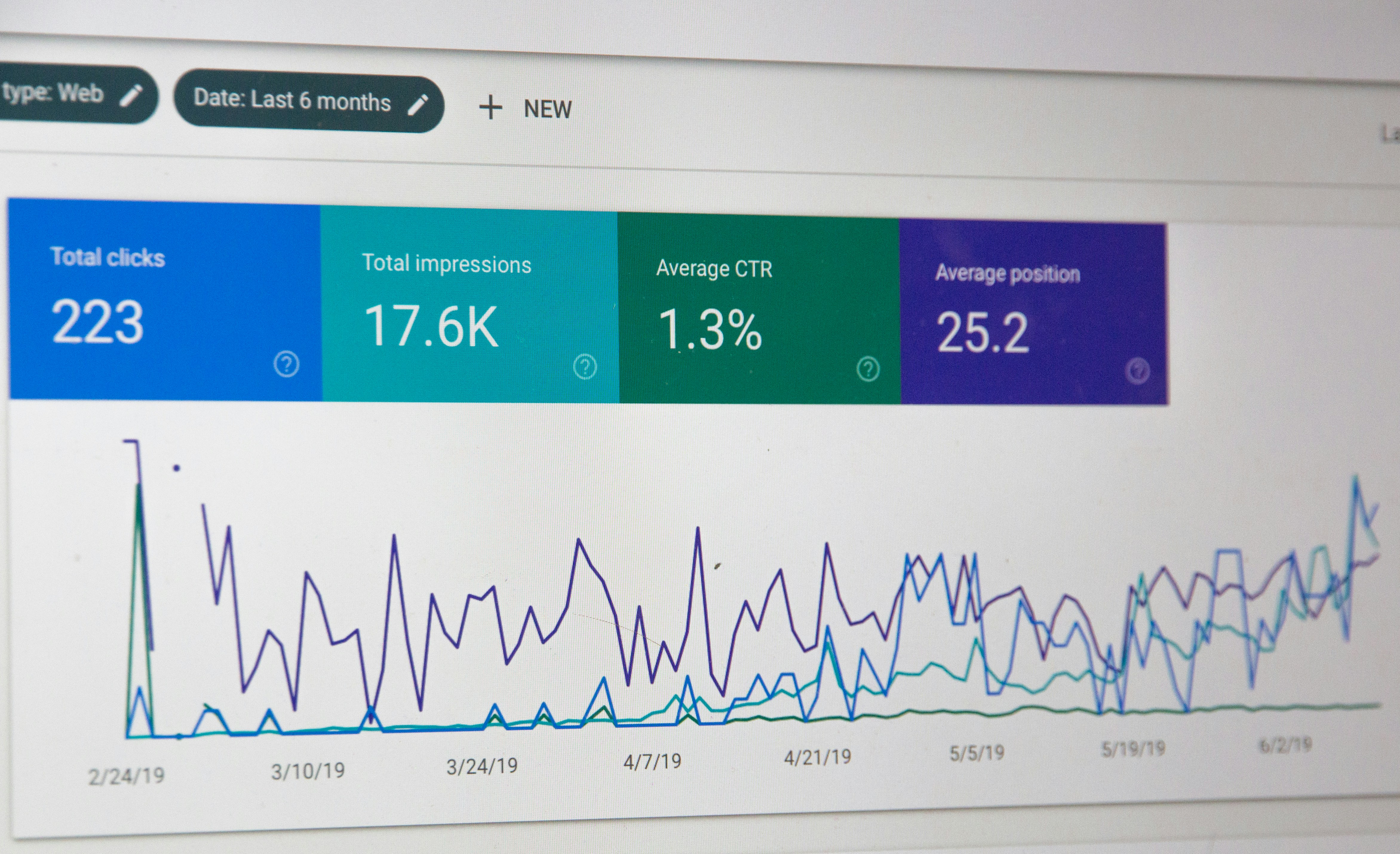
A step-by-step approach to Google Webmaster Tools will streamline technical SEO efforts and ensure your site is visible and optimized. Begin by accessing the Search Console dashboard and linking your domain. Next, submit an XML sitemap, which helps Google discover every page on your website efficiently. Carefully review the Coverage reports for any errors or warnings, such as pages blocked by robots.txt or not indexed due to crawl issues. The Performance tab offers granular data including click-through rates, specific queries, and user locations, helping you identify which content drives the most traffic. Use Enhancements and Experience reports to fix usability and mobile-friendliness issues, as these are strong ranking signals today.
SEO Ranking Factors in 2024: What You Need to Know
Recent years have brought significant changes to Google's search algorithms, emphasizing user experience and relevancy above all. Core ranking factors now include high-quality, original content, fast site speed, mobile usability, secure connections (HTTPS), and a logical site structure. Google also now weighs engagement signals, such as dwell time and click-through rate, more heavily, reflecting how users interact with your content. Backlinks from reputable sources remain critical, providing authority and trust. For local businesses, proximity and the completeness of Google Business profiles play a larger role than ever before. Adapting to these modern signals is necessary for sustainable traffic and long-term SEO growth.
Best SEO Techniques for Beginners
Beginners often ask which SEO techniques offer the fastest path to improved rankings and traffic. Start by conducting thorough keyword research to target queries your audience actually uses. On-page optimization should include incorporating keywords naturally into titles, meta descriptions, headers, and throughout body content. Technical basics, like optimizing images, improving page speed, and building a responsive layout, make your site more accessible to both users and search engines. Link building through guest posts, local citations, and outreach can accelerate domain authority. Consistently publishing helpful, original content and updating old articles can steadily improve visibility and rankings.
How to Track and Monitor Your Website’s Ranking Daily
Daily monitoring allows you to quickly detect issues and measure the effectiveness of your SEO efforts. Set up automated keyword tracking using Google Search Console, which reveals where your website appears for targeted queries. Specialized SEO tools also provide granular rank tracking and alert you to sudden changes caused by algorithm updates or competitor activity. Reviewing page-level analytics helps pinpoint which content delivers the most value or requires optimization. Establishing a routine for checking rankings, impressions, and click-through rates ensures you can adjust your strategy for continuous improvement. Monitoring also helps you assess the impact of recent changes or published content.
Submitting and Optimizing Your Sitemap in Google Webmaster Tools
A well-structured sitemap is critical for helping Google crawl and index every page efficiently. In Google Search Console, locate the Sitemaps section and submit the URL of your XML sitemap. Make sure the file only includes canonical versions of your pages, as duplicate or redirected URLs can dilute SEO strength. Regularly update the sitemap to reflect new content, removed pages, or structural changes. Google provides feedback on sitemap errors such as unreachable pages or unsupported formats, allowing you to correct issues that may hinder indexing. A reliable sitemap submission process gives your site the best chance to surface new and updated content in search results quickly.
Analyzing Google Search Console Data for Actionable Insights
Regular analysis of Search Console data transforms raw numbers into actionable steps for ranking growth. Examine search queries bringing the most impressions and clicks to discover new keyword opportunities. Identify pages with high impressions but low click-through rates and test updates to titles or descriptions to improve performance. Track indexing trends to ensure new pages are quickly picked up and old or irrelevant URLs do not linger in search. Pay close attention to mobile usability and Core Web Vitals, as failing these can negatively impact rankings. Continuous data review supports informed decisions and sharper focus on tactics that deliver measurable results.
Local SEO Strategies to Increase Traffic
Local SEO is vital for small businesses targeting customers in specific geographic areas. Optimize your website by including location keywords in strategic places such as titles, descriptions, and on service pages. Claim and complete your Google Business Profile, adding photos, business hours, and detailed descriptions to improve local search visibility. Encourage satisfied customers to leave positive reviews, as these are highly influential for both search ranking and trust. Create locally relevant content such as neighborhood guides or event pages to increase engagement and reinforce local authority. Consistent directory citations and backlinks from community sites strengthen your business’s online presence.
Common Google Webmaster Tools Mistakes and How to Fix Them
Many website owners overlook key errors in Search Console that hurt their ranking potential. Failing to verify all versions of your site, including both www and non-www as well as HTTP and HTTPS, can block critical data collection. Ignoring Coverage or Enhancement errors leads to indexing failures or poor mobile experiences that directly impact search eligibility. Submitting outdated or bloated sitemaps confuses Google and slows down new content discovery. Neglecting to set preferred domains or reviewing manual action reports may allow penalties to persist unnoticed. Regular audits of Search Console settings and reports help identify and address these common mistakes efficiently.
Measuring and Improving Your Website’s SEO Performance
Effective SEO involves rigorous measurement and ongoing adjustments based on reliable data. Use a combination of Google Search Console, Google Analytics, and specialized SEO tools to track visitor behavior, rankings, and conversions. Set clear objectives such as increasing organic sessions, improving page rankings, or boosting lead generation, and review progress monthly. Analyze which tactics yield the highest returns, such as specific types of content or backlink sources. Test changes methodically to continuously refine your approach and stay ahead of competitors. Get Real Google, ChatGPT Traffic on Autopilot | GetMyWebRank, available at https://getmywebrank.com, offers automation to simplify these tasks, helping you consistently create the SEO-friendly content needed to dominate both search and AI-driven platforms.
FAQ
How long does it take to rank a website on Google?
Ranking a new website can take several weeks to several months, depending on competition, content quality, and the effectiveness of your SEO strategy. Sites in less competitive niches or with strong existing authority may rank faster, while newer domains or highly competitive topics generally require more patience and consistent effort.
What are the best keywords for website ranking?
The best keywords combine high search volume with manageable competition and directly relate to your target audience’s needs. Begin with long-tail keywords, as these are often easier to rank for, and focus on terms that reflect searcher intent relevant to your business or content offerings.
How do I fix Google Webmaster Tools errors?
Review the Coverage and Enhancements sections in Google Search Console to identify specific errors indicated by Google. Address these promptly by fixing broken links, resolving sitemap issues, and ensuring all pages are accessible and mobile-friendly, then validate fixes in Search Console for confirmation.
What are some tips to optimize a website for Google Search?
Optimize your website by incorporating target keywords naturally, improving page speed, ensuring mobile responsiveness, and acquiring high-quality backlinks. Regularly publish helpful, original content and use structured data where appropriate to assist Google’s understanding of your site.
How can I track my website ranking daily?
Use Google Search Console for daily updates on query performance and dedicated SEO ranking tools for in-depth tracking of specific keywords. Monitoring rankings regularly helps you respond quickly to drops, identify algorithm impact, and adjust your strategy for sustained growth.
People also ask
What is Google Search Console and how does it help with SEO?
Google Search Console is a free tool that helps website owners monitor, maintain, and troubleshoot their site's presence in Google Search results by providing insights into crawling, indexing, keyword performance, and site issues.
Does using Google Search Console improve my website's ranking directly?
Using Google Search Console does not give your site preferential treatment in rankings, but it helps identify and fix issues that can improve your site's performance in search results.
What technical SEO elements should I focus on to improve my website's ranking?
Key technical SEO elements include submitting XML sitemaps, optimizing robots.txt files, ensuring Googlebot can crawl your site smoothly, and implementing structured data to enhance search result features.
How can I check how Google views my website pages?
You can use the URL Inspection Tool in Google Search Console to see how Google crawls and renders your pages, ensuring it sees the same content as users.
Why is structured data important for SEO?
Structured data helps Google understand your content better and makes your pages eligible for rich search results like review stars and carousels, which can increase click-through and conversion rates.
About GetMyWebRank
We help founders and agencies create and publish SEO content in minutes, not days. Our system learns your brand tone and publishes human-grade articles directly to your site to speed up indexing and discovery.