Step-by-Step SEO Guide for Beginners: How to Use Google Webmaster Tools to Improve Your Website Ranking

Google Search Console (formerly Google Webmaster Tools) is a vital free tool for website owners and digital marketers to monitor, analyze, and improve SEO performance and website ranking. It offers detailed insights into keyword performance, indexing status, site errors, backlinks, and technical SEO issues like mobile usability and schema markup. Submitting sitemaps, especially individual ones for large sites, is crucial for efficient crawling and indexing by Google, which directly impacts search rankings. Top SEO ranking factors include high-quality content, mobile-friendliness, fast loading speeds, secure connections, and authoritative backlinks. A comprehensive technical SEO audit covers site discovery, crawling, fixing errors, optimizing speed and mobile usability, ensuring crawlability and indexing, and structured data implementation. Google Search Console is highly rated and recommended for both beginners and professionals, complemented by other tools like Bing Webmaster Tools and content optimization platforms. Continuous monitoring and optimization using these tools and best practices are essential for improving and maintaining website visibility in Google Search results.
Understanding the Basics of SEO and Google Webmaster Tools
For anyone serious about growing their website traffic and online presence, understanding SEO and mastering Google Webmaster Tools is the first step. Search Engine Optimization (SEO) involves optimizing your website so it ranks higher in search engine results, making it easier for potential visitors to find your business or content. Google Webmaster Tools, now known as Google Search Console, is a free service that provides insights into your website’s performance on Google Search. Whether you are a business owner, digital marketer, or content creator, learning to use these tools effectively can transform your SEO efforts. The team at Get Real Google, ChatGPT Traffic on Autopilot | GetMyWebRank provides automated solutions that seamlessly integrate SEO with AI-driven content and local targeting, making it simpler to improve your visibility on platforms like Google and ChatGPT.
Setting Up and Verifying Your Website in Google Webmaster Tools
The first action after creating a website is to set up and verify it in Google Search Console. This step is vital because verification confirms your ownership and gives you access to performance data, indexing status, and troubleshooting resources for your site. Start by logging into Search Console with your Google account, then add your site as a new property. Google provides several methods for verification, including uploading an HTML file to your website, adding a meta tag to your homepage, using your domain name provider, or connecting with Google Analytics. Each method is designed to accommodate users with varying levels of technical skill. Verification is usually completed quickly, and once done, you can begin monitoring and optimizing your website’s presence on Google Search.

Submitting a Sitemap: Why It Matters and How to Do It
A sitemap acts as a roadmap for search engines, listing your website’s important pages so Google can discover and crawl them efficiently. Submitting a sitemap in Google Search Console greatly improves the chances that all your content, especially new or updated pages, gets indexed. To do this, generate a sitemap using your CMS or an SEO tool, then go to the ‘Sitemaps’ section in Search Console and enter the sitemap URL. This submission not only accelerates the indexing process but also provides feedback on errors or warnings related to the sitemap. Regularly updating your sitemap ensures that any changes or additions to your site continue to be recognized by search engines. Website owners who prioritize sitemap management often notice improved indexing and an uptick in organic traffic.
Using Google Webmaster Tools to Monitor and Boost Rankings
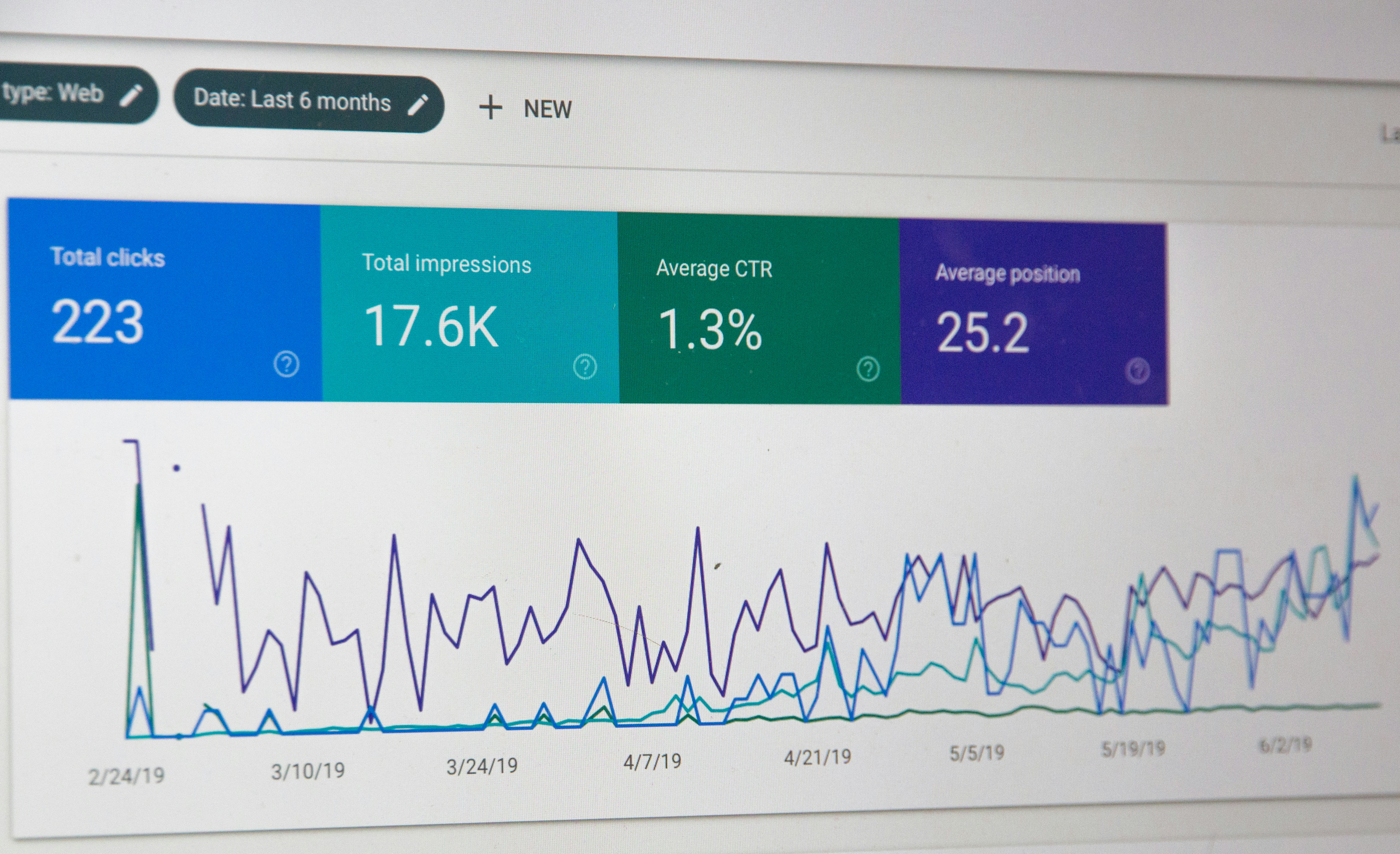
Google Search Console provides an array of insights that are essential for monitoring your website’s SEO performance and identifying opportunities for ranking improvements. The Performance Report allows you to track impressions, clicks, click-through rates, and keyword positions, showing which queries bring users to your site. By analyzing this data, you can spot high-potential keywords that might only need minor adjustments to break into higher ranking positions. Additionally, you can monitor your site’s coverage and the presence of errors that might prevent pages from being indexed. Fixing these issues quickly keeps your content visible to search engines. Leveraging the Performance and Coverage Reports empowers you to make data-driven decisions, refine your SEO strategies, and ensure your site stays competitive in search results.
Fixing Common Errors and Issues Detected by Google Webmaster Tools
Regularly reviewing Google Search Console reports reveals technical errors that may affect your website’s search appearance. These could include indexing errors, mobile usability problems, missing meta descriptions, or crawl anomalies. The platform highlights such issues with actionable recommendations, enabling even beginners to address problems swiftly. For example, fixing 404 errors or submitting for reindexing after resolving issues helps you maintain a seamless user experience. Over time, consistent error resolution improves your website’s trustworthiness and authority in Google’s eyes. Experienced brands like Get Real Google, ChatGPT Traffic on Autopilot | GetMyWebRank at https://getmywebrank.com make automated error detection and content improvement a core part of their offering, making it easier for busy users to keep their sites optimized.
Best Practices: Ongoing SEO Maintenance with Google Webmaster Tools
Once you have the basics covered, ongoing maintenance is what separates sites that rank consistently from those that fall behind. Set a schedule to review your Search Console reports and address emerging issues or opportunities promptly. Consistently update your content, refine your keyword targets based on real search performance, and expand your site with new pages that fulfill user needs. Use the “Coverage” and “Enhancements” features to identify and fix schema markup or mobile usability issues. Staying proactive with SEO housekeeping ensures your site keeps up with algorithm updates and changing user behaviors. For those aiming to streamline this process, automated SEO solutions that generate and publish optimized content can be a game-changer, especially for small businesses trying to compete in crowded markets.
Frequently Asked Questions
What is Google Webmaster Tools and how does it help SEO?
Google Webmaster Tools, now called Google Search Console, is a free platform that allows you to monitor your website’s performance in Google search results. It provides insights, error reports, and recommendations, making it easier to identify issues and opportunities for SEO improvement.
How can I submit a sitemap to Google Webmaster Tools?
To submit a sitemap, log in to Google Search Console, choose your website property, click on the ‘Sitemaps’ section, and enter the URL of your sitemap file. This helps Google discover and index all important pages on your site more efficiently.
What types of errors should I look for in Google Search Console?
Some common errors include indexing problems, crawl anomalies, mobile usability issues, and missing metadata. Addressing these quickly can prevent your website from losing visibility in search results.
How often should I check Google Webmaster Tools for updates?
It is best to check your Google Search Console account at least once a week. Regular monitoring helps you catch and fix issues early and ensures that your website remains accessible and up-to-date in Google search.
Are there automated solutions for improving SEO using Google Webmaster Tools?
Automated platforms like Get Real Google, ChatGPT Traffic on Autopilot | GetMyWebRank offer tools that help generate optimized content, monitor errors, and streamline SEO maintenance, making it easier to keep your website ranking at its best with less manual effort.
People also ask
How do I use Google Search Console for SEO?
Google Search Console provides insights into your website's search performance, indexing status, and technical health. Use it to find and fix errors, submit sitemaps, analyze keyword performance, and understand which pages drive the most traffic to support ongoing SEO optimization.
Why is submitting a sitemap to Google Search Console important?
Submitting a sitemap helps Google crawl and index your website's content more efficiently, ensuring that new or updated pages are quickly discovered and improving your chances of ranking higher in search results.
What are the top ranking factors for SEO?
Key ranking factors include high-quality, original content, mobile-friendly design, fast page loading times, secure HTTPS connections, authoritative backlinks, good user engagement, proper site structure, and absence of crawl errors.
What does a technical SEO audit involve?
A technical SEO audit includes discovery of site goals, crawling to map structure, fixing broken links and redirects, optimizing site speed and mobile usability, ensuring crawlability and indexing, and implementing structured data.
Which SEO tools are recommended for beginners?
Google's free tools such as Google Search Console, Google Keyword Planner, Google Autocomplete, and Google Trends are recommended for beginners to start optimizing their websites.
About GetMyWebRank
We help founders and agencies create and publish SEO content in minutes, not days. Our system learns your brand tone and publishes human-grade articles directly to your site to speed up indexing and discovery.