How to Use Google Webmaster Tools for Better Website SEO in 2026

Google Webmaster Tools, now known as Google Search Console, is a free and essential platform for website owners and SEO professionals to monitor, analyze, and improve website performance in Google Search. Key features include sitemap submission, crawl error detection, backlink analysis, keyword query insights, and mobile usability reports. Proper setup involves verifying site ownership through various methods. Best practices include fixing crawl errors, optimizing content and site structure, managing URL parameters to avoid duplicate content, and enhancing user experience and site speed. While Google Search Console provides valuable data and alerts, combining it with other SEO tools like Ahrefs or WebSite Auditor can yield more actionable optimization strategies. SEO improvements require patience, as ranking gains take time and depend on multiple factors including domain authority and content quality. Overall, Google Search Console is a powerful tool to increase organic traffic and improve search rankings when used effectively.
Why Google Webmaster Tools Is Critical for SEO Success
Many digital marketers and business owners wonder how vital Google Webmaster Tools are for improving SEO performance. Google Webmaster Tools, now known as Google Search Console, is indispensable for anyone seeking reliable data and actionable insights into a website’s search visibility. This platform offers a direct line of communication with Google’s search algorithms and lets you address issues affecting your site’s performance. Understanding how to use these tools effectively is essential for maintaining your site’s health, fixing technical SEO errors, and identifying ranking opportunities that can drive more targeted visitors.
Search Console is especially powerful because it reveals how Google crawls and indexes your site, what queries bring users to your pages, and which technical issues are hindering your progress. Tools such as Performance, Coverage, Sitemaps, and Mobile Usability reports enable marketers to pinpoint challenges and make improvements that directly impact search ranking. Features like security alerts or manual action reports notify you of penalties that could otherwise go undetected. By learning how to leverage all aspects of Google Webmaster Tools, you can not only boost rankings but also ensure your site adapts to ongoing algorithm changes.
Setting Up Google Webmaster Tools: Step-by-Step Guide
Setting up Google Webmaster Tools is often the first challenge for beginners looking to improve SEO and website performance. The process starts by visiting the Search Console website, signing in with a Google account, and entering your site’s URL. Google offers you two options: domain property and URL prefix. For most comprehensive tracking, select the domain property and follow the instructions for DNS verification, which typically involves adding a TXT record to your domain's DNS settings.
After completing verification, it’s important to submit a sitemap. This step helps Google discover all significant pages on your website, ensuring a broader index and increased ranking potential. You can easily generate a sitemap using most website platforms or specialized XML sitemap generators. Add the sitemap link under the 'Sitemaps' section in Search Console. Within a few days, you will begin to see data on search queries, page errors, and crawling statistics, which form the foundation for further SEO improvements. Setting up also allows you to integrate other tools such as Google Analytics, helping align traffic data across platforms.
Key Features and Reports for Better SEO Decisions
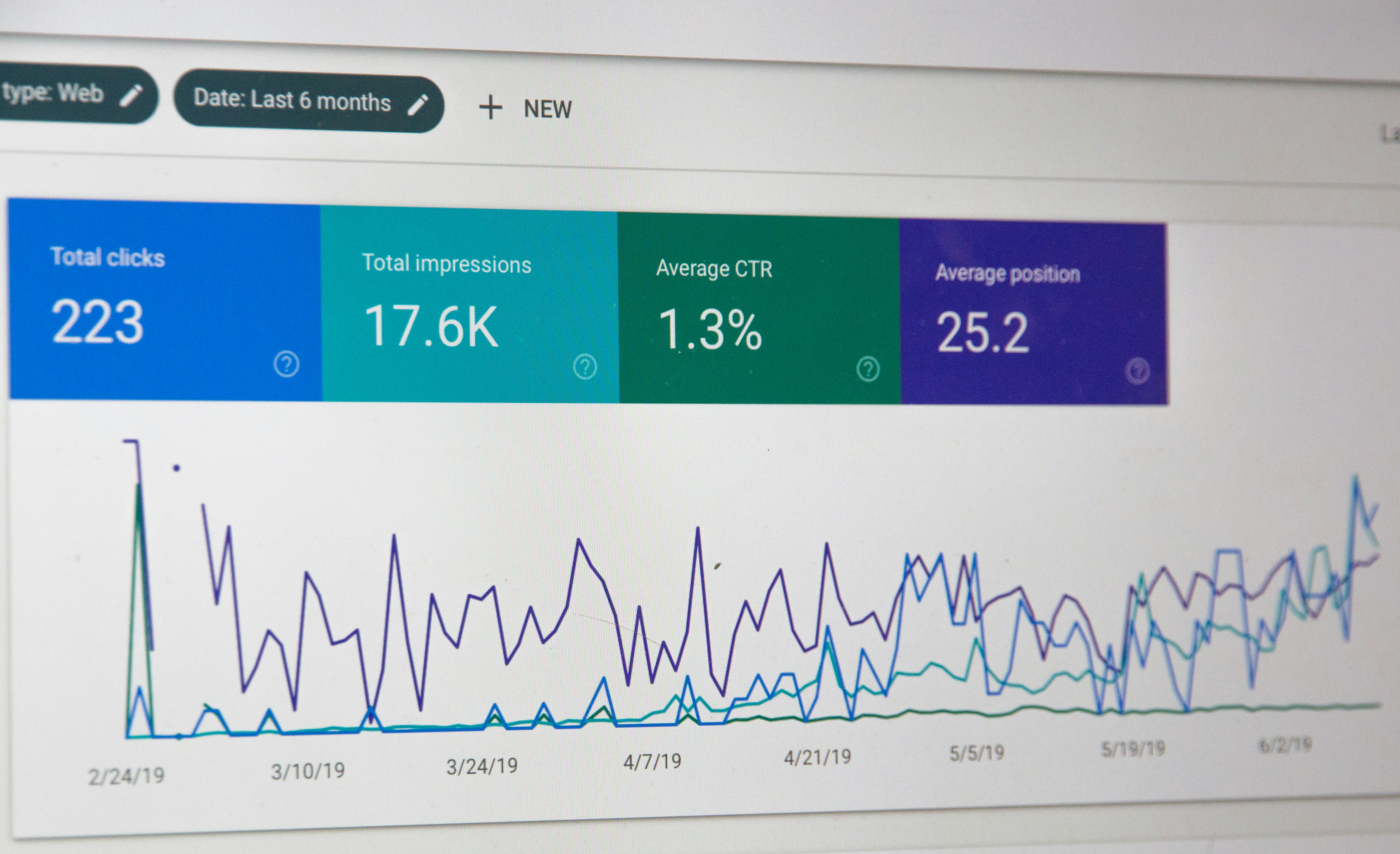
Understanding which features of Google Webmaster Tools directly impact SEO is crucial for prioritizing your optimization efforts. The Performance report is perhaps the most vital, giving insight into search impressions, clicks, click-through rates, and the specific queries driving traffic to each page. By examining this data, you can refine your SEO content strategies to target high-potential keywords more effectively, increasing your chances of reaching Google’s first page.
The Coverage report identifies issues with indexing, including errors and warnings about excluded pages, which can negatively affect organic search visibility. Reviewing this report regularly enables you to fix problems such as server errors, redirect loops, or improperly blocked pages. Tools focusing on Core Web Vitals and Mobile Usability highlight technical aspects that are increasingly important in the Google ranking algorithm. Addressing these issues not only improves user experience but also aligns your site with ranking factors that have greater weight in search results. For many businesses and marketers, using Google Webmaster Tools together with automated platforms like Get Real Google, ChatGPT Traffic on Autopilot | GetMyWebRank can streamline these processes, ensuring rapid identification and correction of technical SEO problems.
Fixing Common SEO Issues with Google Webmaster Tools
Many website owners struggle with recurring SEO problems that prevent consistent ranking growth. Google Webmaster Tools provides both error detection and remedial guidance. The Index Coverage report is the best place to find and resolve common indexing issues. For instance, if Google flags submitted URLs as 'noindex' or unable to be crawled, you should review your meta tag settings and robots.txt file. Similarly, resolving mobile usability errors or adjusting pages that fail Core Web Vitals tests can significantly boost search rankings.
Another common mistake is the proliferation of duplicate content or thin pages, which Search Console can flag. When you see these warnings, review your content for uniqueness and ensure each page delivers substantive value. Broken links and missing pages (404 errors) undermine user experience and search value; use the crawl error reports to locate and correct broken links regularly. The Security Issues tab alerts you if your site is affected by malware or hacking, allowing you to take swift action and minimize ranking loss. By methodically addressing these warnings, you maintain a healthier website and prevent small issues from evolving into major ranking penalties.
Tracking Ranking Progress and SEO Performance
For anyone asking how to measure SEO success and ranking improvement, Google Webmaster Tools offers robust insights. The Performance section details changes in ranking positions and total clicks, enabling you to track which SEO efforts are generating results. Monitoring impressions and average position for priority keywords provides a direct measure of visibility gains. Over time, segmenting this data by page, query, or country can help you isolate trends that inform ongoing strategy.
Additionally, compare before-and-after data whenever you implement technical fixes or launch new content. Use the URL Inspection tool to verify whether newly optimized pages are indexed and accessible to Google. Integrating Search Console data with Google Analytics gives a more complete view of on-site user behavior and conversion tracking, linking search performance to actual business results. By regularly analyzing this data, you can demonstrate SEO ROI, prioritize next steps, and make agile adjustments to stay ahead of algorithm changes. Platforms like https://getmywebrank.com enhance this process by automating much of the keyword research and content publishing, helping you achieve rapid and scalable ranking improvements.

SEO Best Practices and Staying Ahead of Algorithm Updates
The nature of Google’s search ranking algorithm is constantly changing, making it essential to align your SEO approach with the latest best practices. Google Webmaster Tools is the primary resource for discovering updates that affect site visibility, whether it relates to page experience, mobile-first indexing, or security. Engage with search performance reports to understand shifts in rankings and monitor whether your website has been impacted by algorithm updates.
Adopt on-page SEO strategies that focus on core essentials: creating original, high-value content, optimizing meta tags, and ensuring a logical site structure. Implement technical SEO tips targeted at site speed, mobile usability, and structured data. For most businesses, local SEO strategies are increasingly important as Google emphasizes relevance and proximity in local search outcomes. Utilize Geo-specific content and local business markup to improve prominence for community-based searches. Avoid common SEO mistakes like keyword stuffing or neglecting link quality, as these can trigger algorithm penalties. Regularly audit your site using a comprehensive checklist and leverage Google Webmaster Tools to prioritize and validate each fix.
Frequently Asked Questions
What are the main benefits of using Google Webmaster Tools for SEO?
Google Webmaster Tools, also known as Google Search Console, allows you to monitor site performance, detect indexing and security issues, and refine your content based on real user search queries. These insights help improve search visibility and fix technical obstacles affecting your rankings.
How often should I check Google Webmaster Tools for updates and errors?
For optimal results, you should review your Google Webmaster Tools dashboard at least once a week. This ensures you catch new indexing issues, core web vital warnings, or manual actions before they start to affect your rankings and user experience.
Can Google Webmaster Tools help with local SEO strategies?
Yes. The search performance report allows you to segment data by location, helping you identify which queries are driving local traffic. You can also monitor how changes to your Google Business Profile or local content affect search rankings.
What is the best way to fix crawl errors flagged in Google Webmaster Tools?
Start by reviewing the Index Coverage report and URL Inspection tool to identify specific issues. Fix broken links, redirect chains, or problematic configurations in your robots.txt file, and then request reindexing of the affected pages to restore visibility.
How does Get Real Google, ChatGPT Traffic on Autopilot | GetMyWebRank integrate with Google Webmaster Tools?
Platforms like Get Real Google, ChatGPT Traffic on Autopilot | GetMyWebRank automate the creation, publication, and indexing of SEO-friendly articles. This complements Google Webmaster Tools by ensuring a sustainable flow of optimized content while giving you clear data to track and validate SEO gains.
People also ask
Can I use Google Webmaster Tools to increase website traffic?
Yes, by leveraging Search Console reports to find and fix site errors, uncover new search opportunities, and optimize underperforming pages, which can increase visibility and organic traffic.
What is the best way to submit a sitemap to Google Webmaster Tools?
Within Google Search Console, submit your sitemap URL through the Sitemaps section by clicking 'ADD/TEST SITEMAP', entering the sitemap location, and submitting it to help Google crawl your site efficiently.
How do I verify my website ownership in Google Search Console?
Verification can be done via HTML file upload, DNS record update, or tag integration within your site's source code to gain access to Search Console reports.
What SEO issues can Google Search Console help identify?
It helps identify crawl errors, indexing problems, security issues, mobile usability problems, and structured data errors.
How long does it take to see SEO ranking improvements after using Google Search Console?
SEO improvements take time; rankings are not earned overnight and depend on factors like domain authority, content relevance, and user experience.
About GetMyWebRank
We help founders and agencies create and publish SEO content in minutes, not days. Our system learns your brand tone and publishes human-grade articles directly to your site to speed up indexing and discovery.